
Download World Clock Pro - TimeZone Widgets – world clock, time zones, timezone widgets, desktop clock, global time, clock app, time tracker, time management, digital clock, time widget
Overview
World Clock Pro - TimeZone Widgets is a specialized mobile application designed to help users monitor time across multiple global time zones with precision and ease. Tailored for individuals who frequently coordinate with people across different regions—such as remote professionals, international travelers, or families with members abroad—the app simplifies time management in a globally connected world. Its core purpose is to eliminate confusion when scheduling meetings, tracking deadlines, or simply staying aware of local times in distant locations.
The app functions as both a digital clock and a customizable widget, seamlessly integrating into the user’s smartphone or tablet interface. Developed by Jason A. Bilbrey, the app reflects a focused approach to utility and design, targeting users who value functionality without clutter.
Real-world use cases include tracking business hours in different countries, planning video calls across continents, or staying informed about sunrise and sunset times in various cities. In the broader app ecosystem, it fills a niche for lightweight, dedicated time zone tools that offer more than basic clock functionality. While the developer did not provide additional technical details, the app’s presence in the Productivity category underscores its role as a practical tool for modern, mobile-first lifestyles.
Key Features & Functionality
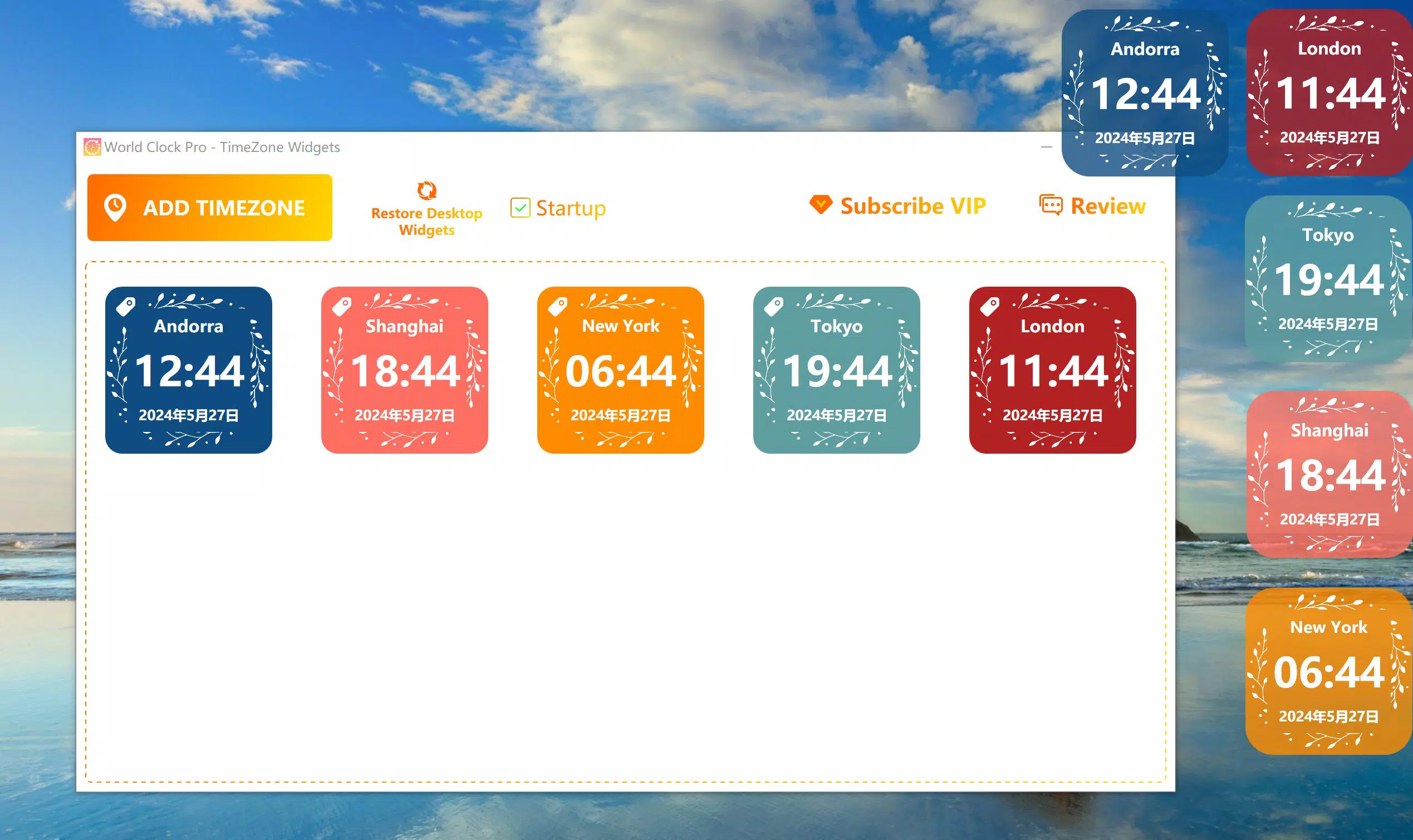
- Global Time Zones: Access a comprehensive list of time zones from around the world, enabling real-time tracking of local times across continents. This is especially beneficial for professionals managing international teams or individuals maintaining long-distance relationships.
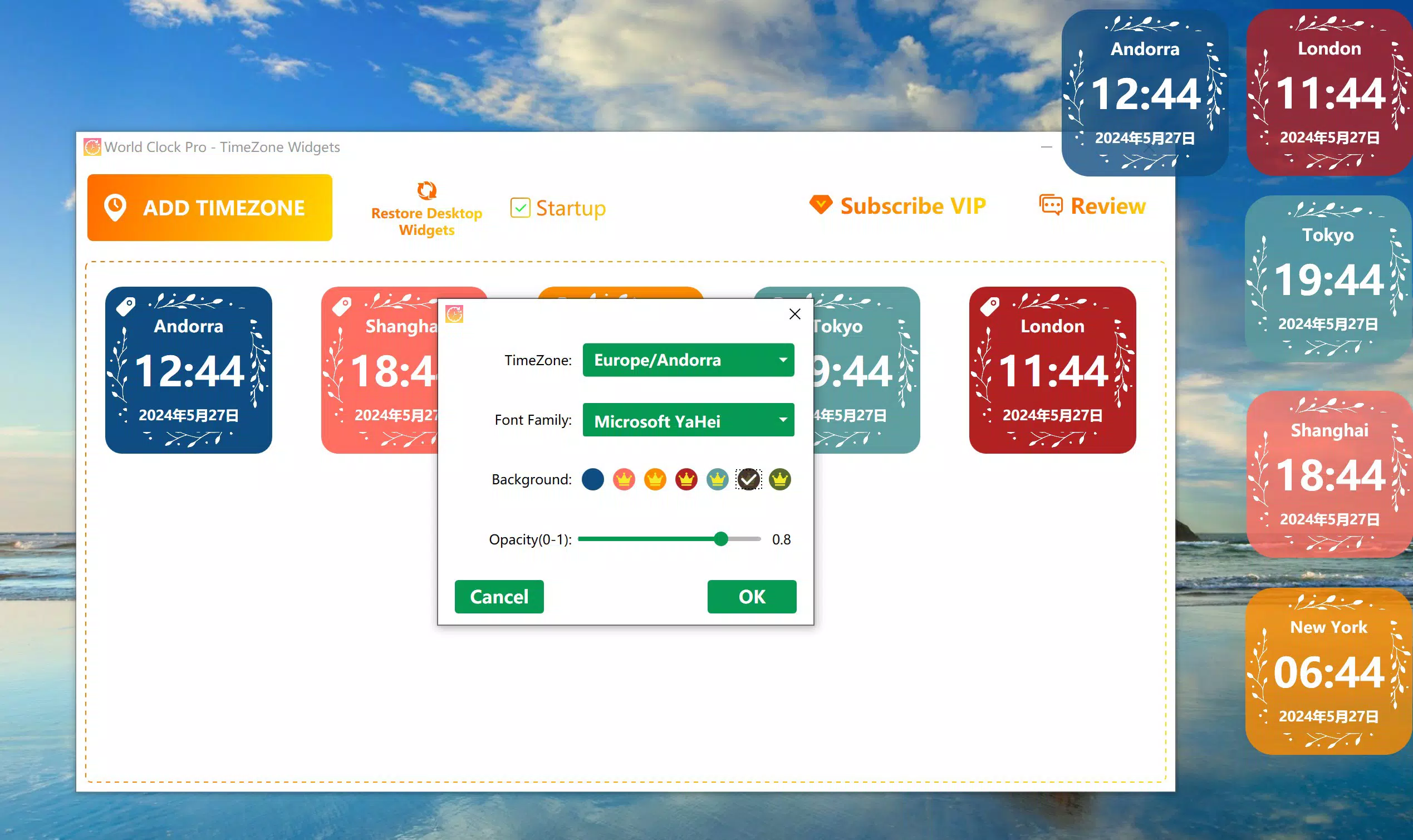
- Customizable Fonts: Choose from a selection of fonts to personalize the appearance of the clock widget, allowing users to match their device’s aesthetic or express individual style.
- Vibrant Background Colors: Select from multiple background colors to either highlight the widget or blend it into the device’s theme, enhancing visual harmony on the home screen or lock screen.
- Startup Support: Configure the app to launch automatically upon device startup, ensuring immediate access to time zone information without manual intervention.
- Transparent Widget Option: Adjust the transparency level of the widget to balance visibility and screen space, improving usability when multitasking or using full-screen applications.
Each feature is designed with practicality in mind. For example, a digital marketer coordinating a campaign across New York, London, and Tokyo can use the global time zones feature to avoid scheduling conflicts. The customizable font and background options allow users to maintain a clean, personalized interface.
The startup support feature ensures that time tracking begins immediately after rebooting, which is ideal for users who rely on consistent time awareness. Transparency settings are particularly useful during presentations or media consumption, where minimal visual interference is desired. These functionalities collectively elevate the app beyond a standard clock, transforming it into a dynamic, user-controlled time management tool.
Interface, UX & Performance
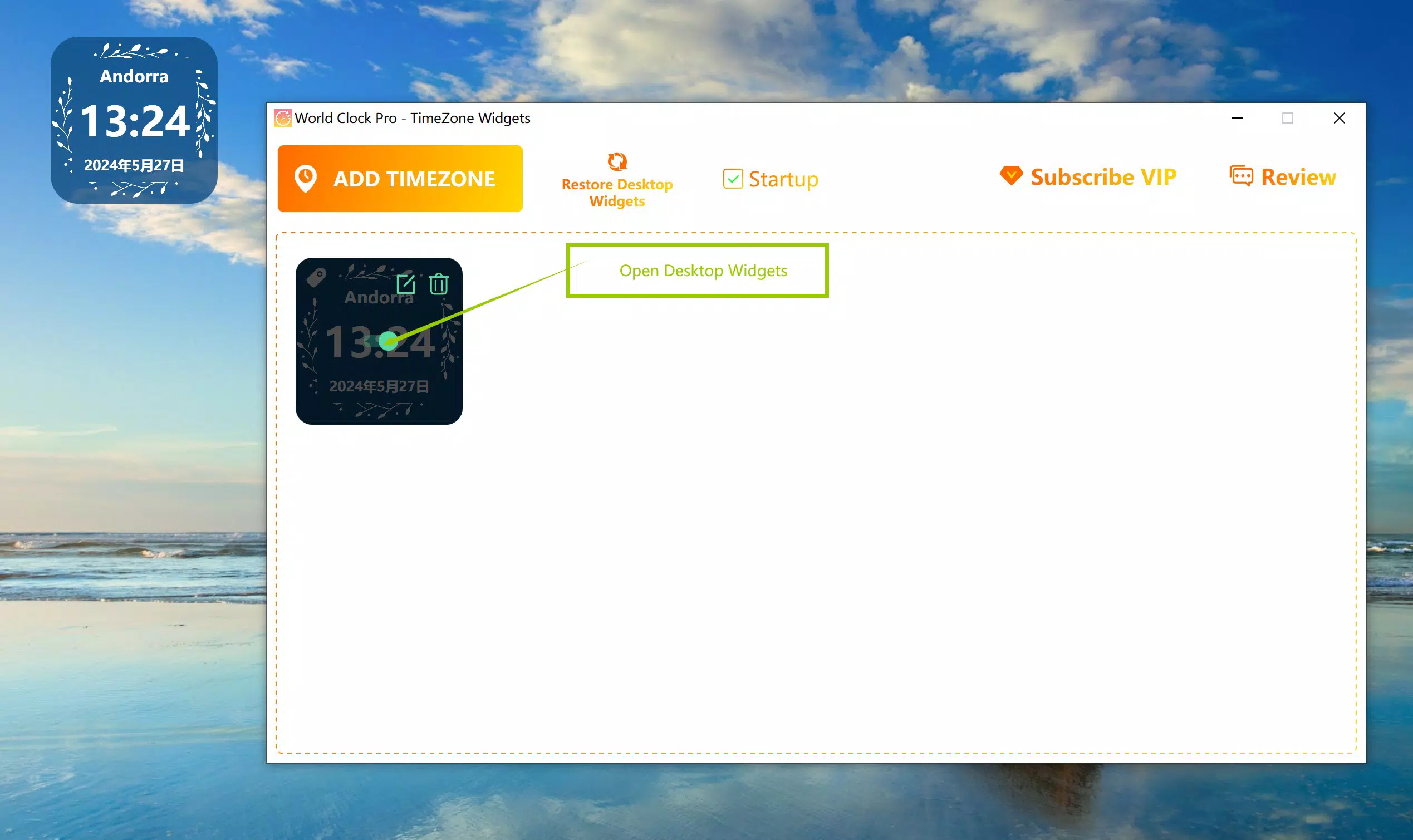
The app presents a clean, minimalist interface that prioritizes readability and ease of use. Time zone information is displayed in a structured layout, with clear labels for city and current time, allowing for quick visual scanning. Navigation is intuitive, relying on simple taps and swipes to add, remove, or reorder locations.
The widget design is responsive and adapts well to different screen sizes, ensuring consistent performance across various Android devices. Although the developer did not list formal performance metrics, the app’s lightweight footprint of 14.2 MB suggests efficient resource usage, minimizing battery drain and storage impact. The user experience is smooth, with no reported lag during interactions or updates.
Stability appears to be a strength, as the app maintains its state across device reboots and background operations. The interface remains consistent even when the device is locked or in low-power mode. Users can expect reliable performance across entry-level and mid-range Android devices, though specific requirements were not listed.
Overall, the UX is streamlined and focused, avoiding unnecessary complexity while delivering essential functionality. The visual design balances aesthetic appeal with practicality, making it suitable for both casual and professional use.
Platform Compatibility & Technical Requirements
World Clock Pro - TimeZone Widgets is available exclusively on the Android platform. The current software version is 1.5.0, released on May 27, 2024. The app has a file size of 14.2 MB, indicating a lightweight installation that does not burden device storage.
While the developer did not specify minimum OS requirements, the app is compatible with Android devices that support standard widget functionality. It is designed to operate on a wide range of Android devices, from smartphones to tablets, though specific hardware or software prerequisites were not disclosed. The app does not require root access or special permissions beyond those typically needed for widget display and system integration.
Users should ensure their device is running a recent version of Android to maximize compatibility and performance. The developer did not provide information about updates or future development plans. For users seeking a secure and stable time-tracking solution, the app’s current release offers a reliable experience on supported devices.
Pros and Cons
Pros
- Lightweight design with minimal storage impact (14.2 MB)
- Comprehensive global time zone coverage
- Highly customizable fonts and background colors
- Automatic startup support for consistent access
- Adjustable widget transparency for seamless integration
Cons
- Price point of $3.99 may deter budget-conscious users
- No official iOS version available
- Specific OS requirements not disclosed
- Limited to Android platform only
- Customization options may be overwhelming for novice users
FAQ
Is World Clock Pro available on iOS?
As of now, the app is only available on the Android platform. There is no official iOS version released by the developer.
Can I use the app without a paid upgrade?
The app is offered as a one-time purchase at $3.99. There are no free versions or in-app ads mentioned in the provided information.
Does the app require internet access?
The app functions offline for displaying local time zones. However, time zone data may require initial synchronization, which could involve internet access.
How do I update the app?
Updates are available through the Google Play Store. Users should ensure their device is connected to the internet and their Play Store app is up to date.
Is the app secure to install?
As the app is distributed through official Android channels and developed by a known individual, it is considered secure. Users should only install from trusted sources to avoid potential risks.
Final Thoughts
World Clock Pro - TimeZone Widgets stands out as a refined, user-centric tool for managing time across global regions. Its blend of practical features—such as customizable fonts, transparent widgets, and startup support—makes it ideal for professionals, frequent travelers, and anyone who values precise time awareness. The app delivers on its promise of functionality without unnecessary complexity, offering a clean interface and reliable performance.
While the $3.99 price tag may be a consideration for some, the app’s focused design and lack of ads justify the cost for dedicated users. Its lightweight nature and Android-only availability ensure it runs efficiently on a wide range of devices. For those who need to stay synchronized across time zones, this app is a dependable companion.
Download World Clock Pro - TimeZone Widgets now to bring global time awareness to your fingertips.


